Porchlight Slideshow › Weddings
Wedding & rehearsal dinner slideshows
Their story so far, for the wedding reception
Two childhoods, one love story. Porchlight turns the couple's photos into a slideshow for the reception or rehearsal dinner that's timed to the music and ready to play on the venue's screen.
Free to download and try · $39 once to share your slideshow · Mac & Windows
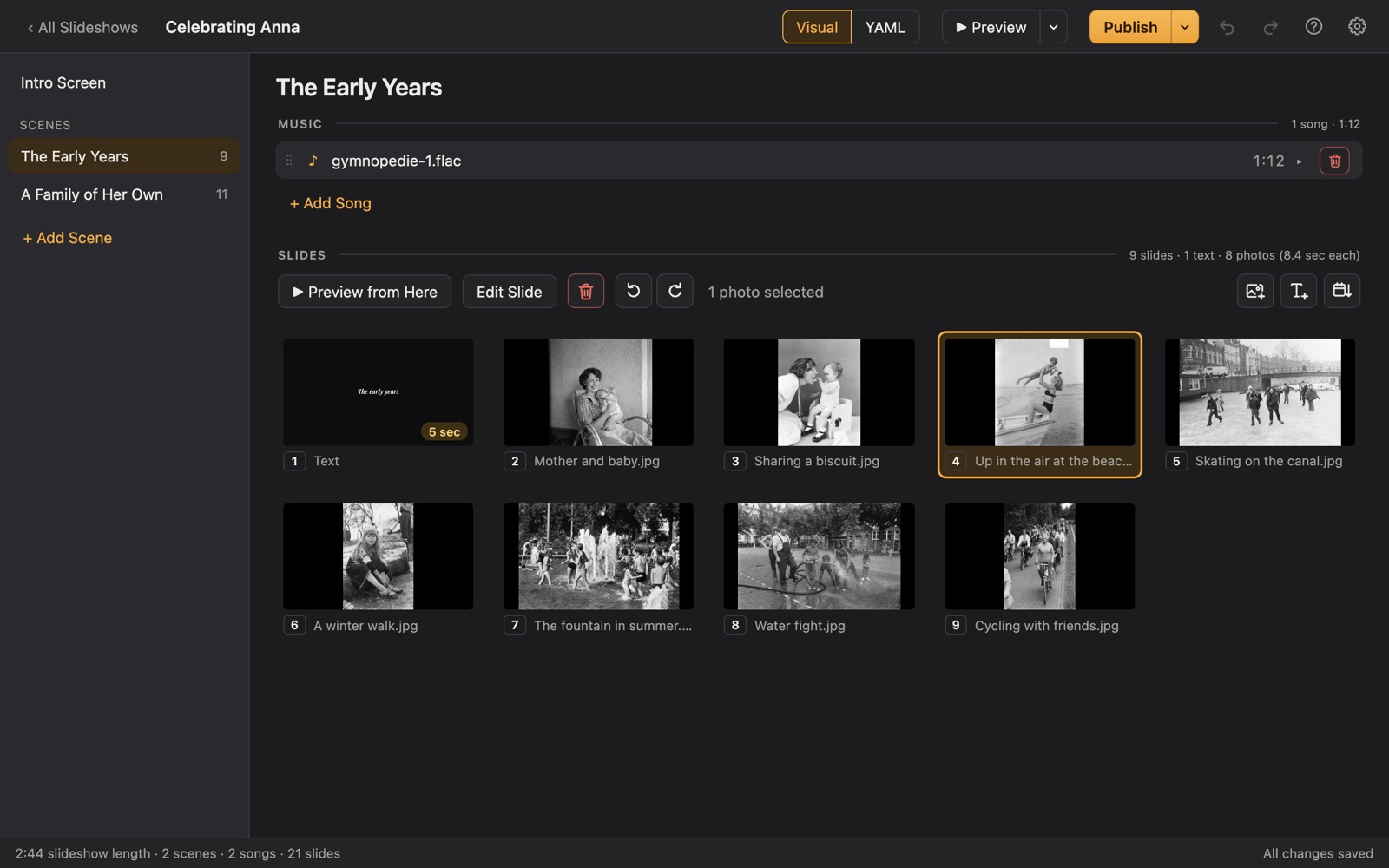
Making a wedding slideshow
The wedding slideshow is a favorite moment at receptions and rehearsal dinners: guests see the couple as babies, as awkward teenagers, and then together. It's often made by a parent, sibling or the couple themselves, in the busy weeks before the wedding.
Porchlight keeps it simple. Put each part of the story in its own scene with its own song, add a few titles, and it fits the photos to the music. Then play it from a USB stick at the venue, or give the DJ a video file.
A plan
A plan for a wedding slideshow
Each scene gets its own music in Porchlight, so the songs change with the story.
Growing up: one
Baby photos to graduation for one of the couple.
Growing up: the other
The same for the other. A matching song for each makes a nice pair.
How we met
A text slide with the story, then the first photos together.
Adventures
Trips, pets, the first home, the families meeting.
The proposal and beyond
The ring, the engagement photos, and a closing title with the date and a thank-you.
Tips
Tips for the big day
- Ask both families for childhood photos early; the old prints take the longest to find and scan.
- Balance the two childhoods so each has about the same number of photos.
- Keep it short for the reception (guests want to dance); a longer version suits the rehearsal dinner.
- Test it on the venue's screen or talk to the DJ or coordinator before the day.
- Make a thank-you slideshow of wedding photos afterward for the parents.
How long should it be?
5 to 8 minutes for a reception, about 50 to 90 photos with 2 or 3 songs. Up to 15 minutes at a rehearsal dinner.
Choosing music for a wedding slideshow
- A song from each of their childhoods for the growing-up scenes.
- Their song, or the first-dance song, for the scene where they meet.
- Something upbeat for the friends-and-adventures photos.
- Keep it to three or four songs so the slideshow stays under ten minutes.
Porchlight plays MP3, WAV and FLAC files you have; it doesn't provide music. You're responsible for having the right to use the music and photos in your slideshow, whether you're building, publishing, uploading, playing or sharing it.
How it works
Your wedding slideshow in three steps
Drag in the photos
From a folder or the Photos app. Sort them by the date they were taken with one click, or arrange them by hand.
Add the music
Give each scene its songs. Porchlight fits the photos to the music, so the last photo fades out as the last note ends.
Play it anywhere
Put it on a USB stick with the free Player, or save it as an HD or 4K video.
At the venue
Publish to a USB stick with the free Porchlight Player for the venue's Mac or PC; it opens full screen and waits on the title until you press Space, so the DJ can introduce it. Or export an HD or 4K video for the venue's own system.
Questions
Good to know
When should we show the slideshow at the wedding?
Common moments are during dinner, just before the toasts, or during the cocktail hour. At a rehearsal dinner, after the meal works well.
Can the DJ play it?
Yes. Give them the published USB stick (the Player runs without installing anything) or an MP4 video. The music is part of the slideshow, so it doesn't need a separate sound cue.
Can we make a thank-you video after the wedding?
Yes. Make a second slideshow with the wedding photos and export it as a video to share with guests.
Is Porchlight Slideshow free?
You can download it free and build and preview your whole slideshow. A one-time $39 license lets you publish it to a USB stick and export it as a video, with no subscription. Porchlight Player, for watching, is always free.
Are my photos uploaded anywhere?
No. Porchlight works entirely on your own computer, with no account and no internet needed.
Start your wedding slideshow tonight
Download Porchlight Slideshow free, build your slideshow and preview it full screen. Pay once, only when it's ready to share.
More occasions