Porchlight Slideshow › Anniversaries
Anniversary slideshows
Fifty years together, in photos and song
A golden or silver anniversary deserves the whole story. Porchlight turns decades of photos into a slideshow for the party, with each chapter set to a song from those years.
Free to download and try · $39 once to share your slideshow · Mac & Windows
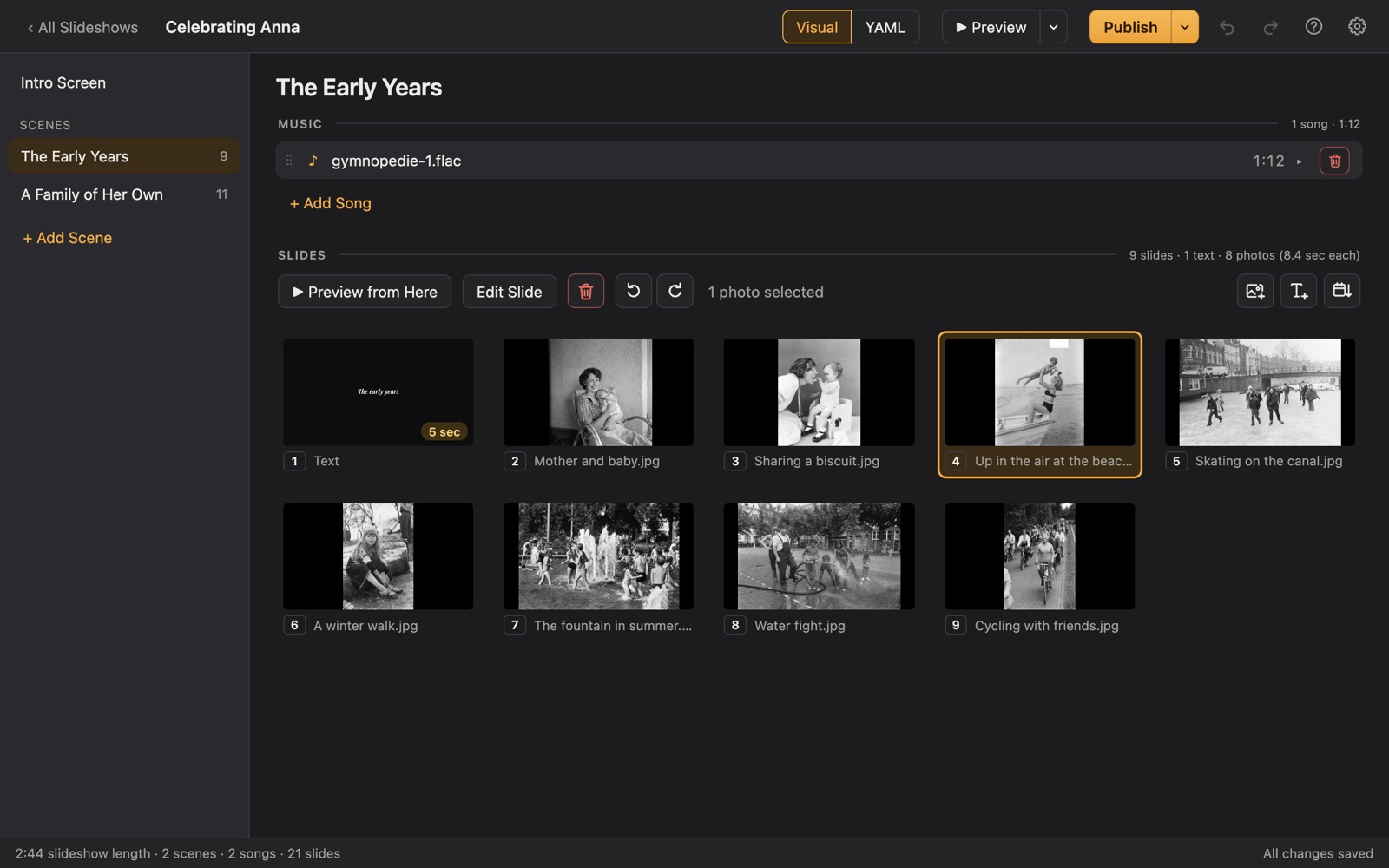
Making a anniversary slideshow
Anniversary slideshows are often made by grown children as a surprise: the wedding photos, the young family, the moves and milestones, and the grandchildren. The party is the one time the whole family sits down and watches the story together.
Porchlight makes that story easy to tell. Put each decade in its own scene with a song from that decade, and sort the photos by date with one click. It plays full screen from a USB stick at the restaurant or hall, or as a video on the TV at home.
A plan
Scenes for an anniversary slideshow
Each scene gets its own music in Porchlight, so the songs change with the story.
Before they met
A few photos of each of them growing up.
The wedding
Their wedding photos, and a title with the date and place.
Decade by decade
One scene per decade, each with a hit song from those years.
The family they made
Children, grandchildren and great-grandchildren.
Then and now
Pair a wedding photo with a recent one, and close with a message from the family.
Tips
Tips
- Scan the wedding album and a few photos from each year you can find; a phone scanning app is quick.
- Find the song they danced to at their wedding and use it for that scene or to close the show.
- Add text slides with milestones: "1974: our first house", "1981: Sarah arrives".
- Ask each child or grandchild for a sentence of thanks to put on a closing slide.
- If it's a surprise, publish it to a USB stick and test it at the venue beforehand.
How long should it be?
8 to 15 minutes: about 80 to 150 photos with 3 to 5 songs, one per decade.
Choosing music for an anniversary slideshow
- Their first dance song.
- A favorite song from each decade of the marriage, one per scene.
- The music that was always playing in the house.
- Ask the couple's friends which songs remind them of the two of them.
Porchlight plays MP3, WAV and FLAC files you have; it doesn't provide music. You're responsible for having the right to use the music and photos in your slideshow, whether you're building, publishing, uploading, playing or sharing it.
How it works
Your anniversary slideshow in three steps
Drag in the photos
From a folder or the Photos app. Sort them by the date they were taken with one click, or arrange them by hand.
Add the music
Give each scene its songs. Porchlight fits the photos to the music, so the last photo fades out as the last note ends.
Play it anywhere
Put it on a USB stick with the free Player, or save it as an HD or 4K video.
At the party
Put it on a USB stick with the free Porchlight Player for the restaurant or hall's computer, or export a video for a TV. It waits on the opening title until you press Space, so you can quiet the room first.
Questions
Good to know
How do I get old prints into the slideshow?
Scan them with a flatbed scanner or a phone scanning app (Google PhotoScan, Photomyne or the Notes app on an iPhone all work), then drag the images into Porchlight.
Can I use a song from each decade?
Yes. Split the slideshow into scenes, one per decade, and give each scene its own song. Trim a song to just the part you want and it fades out gently.
Can the grandparents keep a copy?
Yes. Leave them the USB stick (the Player needs no installation) or export a video they can watch on their TV.
Is Porchlight Slideshow free?
You can download it free and build and preview your whole slideshow. A one-time $39 license lets you publish it to a USB stick and export it as a video, with no subscription. Porchlight Player, for watching, is always free.
Are my photos uploaded anywhere?
No. Porchlight works entirely on your own computer, with no account and no internet needed.
Start your anniversary slideshow tonight
Download Porchlight Slideshow free, build your slideshow and preview it full screen. Pay once, only when it's ready to share.
More occasions