Porchlight Slideshow › Funerals & memorials
Funeral & memorial slideshows
A memorial slideshow, ready for the service
Gather their photos, add the songs they loved, and Porchlight times it all for you. Hand the funeral home a USB stick that plays full screen on any computer, TV or projector.
Free to download and try · $39 once to share your slideshow · Mac & Windows
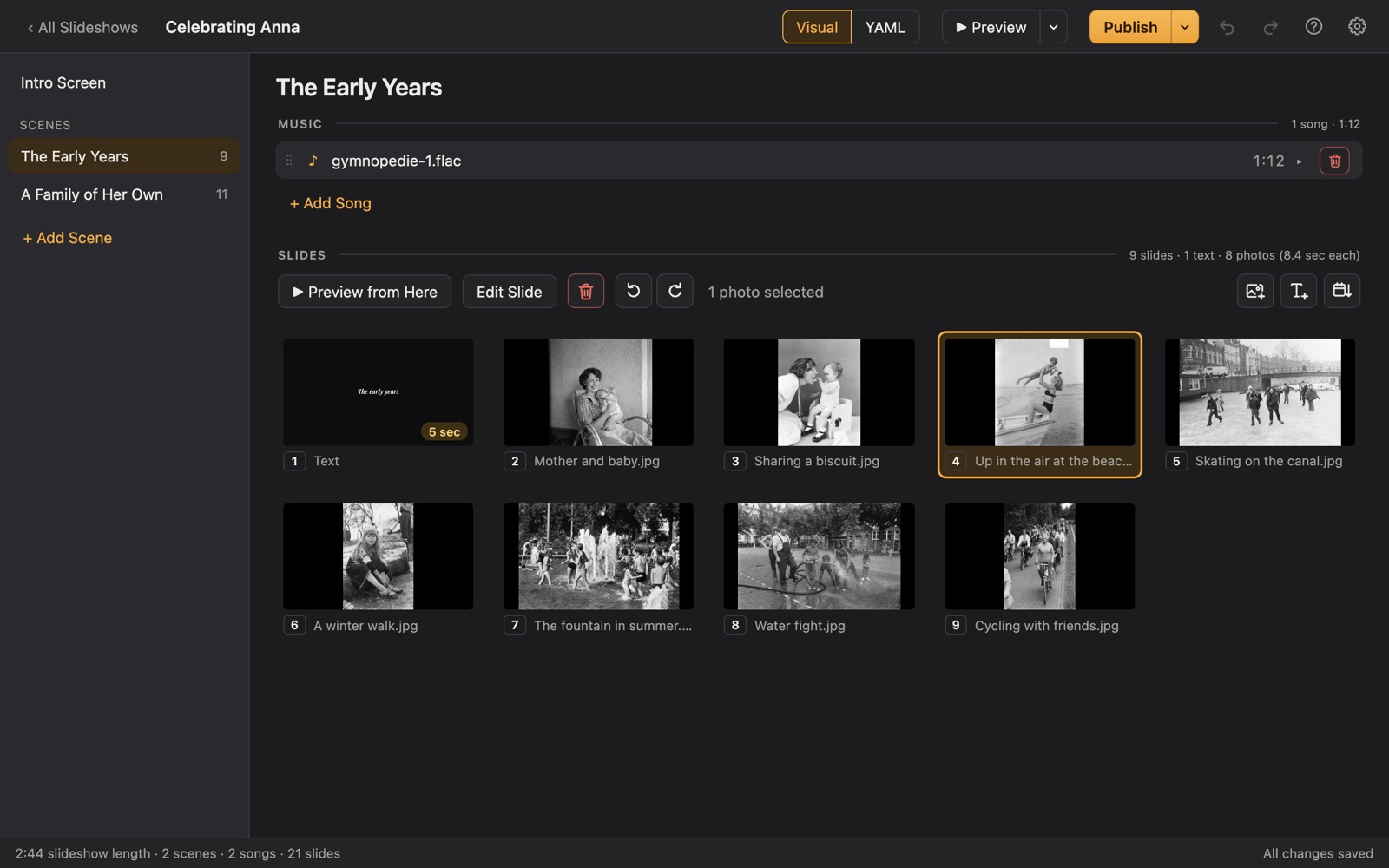
Making a memorial slideshow
When someone dies, the family usually has only a few days before the visitation or funeral, and a lot else to do. A memorial slideshow shouldn't need a video editor or a weekend. Porchlight is built for exactly this: drag in the photos, pick the music, and it fits the photos to the songs so the last photo fades out as the last note ends.
The finished slideshow goes on a USB stick with the free Porchlight Player, so it plays at the funeral home, church or hall without installing anything or needing the internet. Or save it as a video for family who can't be there, or for the livestream.
A plan
A simple plan for a memorial slideshow
Each scene gets its own music in Porchlight, so the songs change with the story.
An opening title
Their name, the years of their life and a line such as "In loving memory of" or "Celebrating the life of". The Player waits here until you press Space, so the slideshow starts when the room is ready.
Early years
Baby pictures, school photos, parents and brothers and sisters. Scan a handful of old prints; a phone scanning app is fine.
Love and family
The wedding, the children arriving, holidays, the house they were proudest of.
The people and things they loved
Friends, grandchildren, pets, the garden, the fishing trips, the kitchen.
A closing slide
A favorite photo with a short poem, a verse or their own words, and a thank-you from the family.
Tips
Tips from families who've done it
- Ask relatives to send photos by a set time (a shared folder or email works), then stop collecting. Late photos can go in a second version for the reception.
- Aim for faces. Photos where you can see them clearly, with the people they loved, mean more than scenery.
- Sort by date with one click to get a rough order, then drag a few photos to tell the story the way the family remembers it.
- Put each chapter of their life in its own scene with its own song. It's easier to organize, and the music changes with the story.
- Preview it full screen from start to finish once, with a tissue box nearby, before you publish.
- Bring the slideshow on two USB sticks, and send a video copy to the funeral director in advance if they ask for one.
How long should it be?
Most memorial slideshows run 5 to 15 minutes: about 60 to 150 photos with 2 to 4 songs. At a visitation, where people come and go, a longer slideshow is fine; during a service, keep it under 10 minutes.
Choosing music for a memorial slideshow
- The songs they loved: the ones they sang along to in the car.
- A hymn or piece of music from their faith, if it was part of their life.
- A quiet instrumental piece for the opening title, while people find their seats.
- Something brighter for the happy years, so the slideshow isn't all sadness.
- One song per scene works well; three or four songs cover about 15 minutes of photos.
Porchlight plays MP3, WAV and FLAC files you have; it doesn't provide music. You're responsible for having the right to use the music and photos in your slideshow, whether you're building, publishing, uploading, playing or sharing it.
How it works
Your memorial slideshow in three steps
Drag in the photos
From a folder or the Photos app. Sort them by the date they were taken with one click, or arrange them by hand.
Add the music
Give each scene its songs. Porchlight fits the photos to the music, so the last photo fades out as the last note ends.
Play it anywhere
Put it on a USB stick with the free Player, or save it as an HD or 4K video.
Playing it at the funeral home
Publishing puts the slideshow and the free Porchlight Player side by side on the USB stick, for Mac, Windows or both. At the funeral home, open the stick and double-click the Player: it opens full screen on the TV or projector (press Tab to move it to another screen) and waits on the opening title until you press Space. Nothing to install, no internet needed. If the funeral home asks for a video file instead, export one in HD or 4K.
Questions
Good to know
How many photos should a memorial slideshow have?
About 8 to 12 photos for each minute of music feels unhurried. A 10-minute slideshow holds roughly 80 to 120 photos. Porchlight works out the timing for you, so adding or removing photos just changes how long each one stays on screen.
Can the funeral home play it?
Yes. Porchlight Player goes on the USB stick with the slideshow and runs on any Mac or Windows PC without installing anything. If they'd rather play a video on their own system, export the slideshow as an MP4 video.
Can I show it on the funeral livestream or send it to family far away?
Yes. Export it as a video file and share it the way you'd share any video. You're responsible for having the right to use the music and photos wherever you share it.
We only have two days. Is that enough?
Yes. Most families finish a slideshow of a hundred or so photos in an evening. The slow part is gathering the photos, so start that first.
Is Porchlight Slideshow free?
You can download it free and build and preview your whole slideshow. A one-time $39 license lets you publish it to a USB stick and export it as a video, with no subscription. Porchlight Player, for watching, is always free.
Are my photos uploaded anywhere?
No. Porchlight works entirely on your own computer, with no account and no internet needed.
Start your memorial slideshow tonight
Download Porchlight Slideshow free, build your slideshow and preview it full screen. Pay once, only when it's ready to share.
More occasions