Porchlight Slideshow › Family & class reunions
Reunion slideshows
Generations of family, on one screen
A reunion brings together people who share a story. Porchlight turns the old albums, the scanned heirlooms and everyone's phone photos into a slideshow for the gathering.
Free to download and try · $39 once to share your slideshow · Mac & Windows
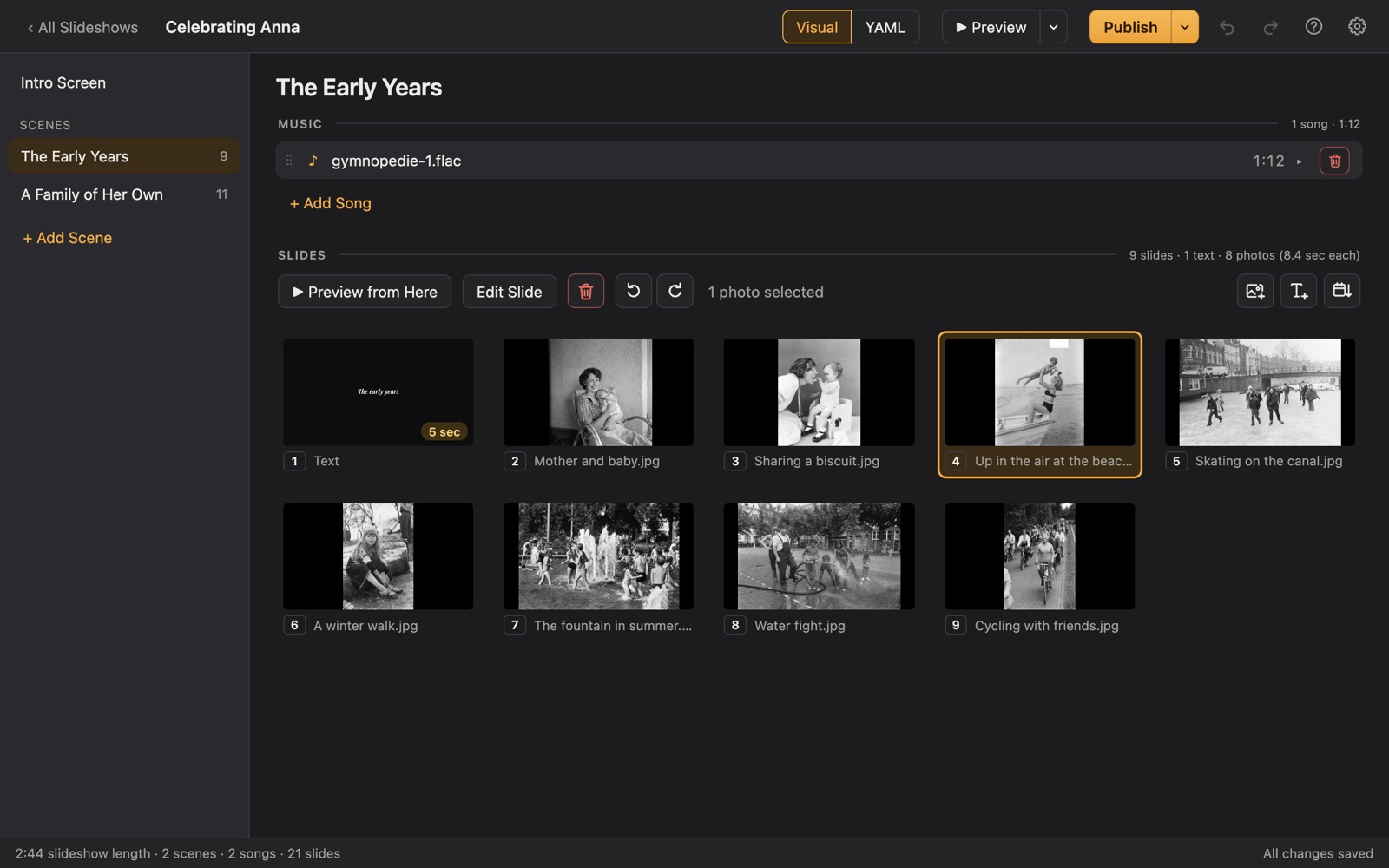
Making a reunion slideshow
At a family reunion, the slideshow is where the generations meet: great-grandparents in faded prints, the cousins as kids, the newest babies. At a class reunion, it's yearbook photos next to today's faces, and a quiet moment for classmates who've passed.
Porchlight lets you organize it all into scenes (by branch of the family, by decade, or by then and now) with music for each, and play it full screen from a USB stick at the park pavilion, hall or hotel.
A plan
Plans for two kinds of reunion
Each scene gets its own music in Porchlight, so the songs change with the story.
Family: where we come from
Ancestors, the old country, the family farm or home town, from scanned heirloom photos.
Family: each branch
A scene for each branch of the family tree, with a title naming them.
Family: past reunions
Photos from earlier gatherings, and the newest members since the last one.
Class: then and now
Yearbook photos, then recent ones, with names on text slides.
Class: in memoriam
A gentle scene for classmates who have died, with a quiet song.
Tips
Tips
- Ask each branch of the family to send 10 to 20 photos by a set date.
- Name the people on text slides; the younger generations won't know who's who.
- Genealogy fans in the family often have the best old photos already scanned.
- Export a video afterward and share it with everyone who came, and those who couldn't.
How long should it be?
10 to 20 minutes for a family reunion; 5 to 10 for a class reunion.
Choosing music for a reunion
- Hits from the year the class graduated.
- Music from the family's heritage.
- The songs the family always played at gatherings.
Porchlight plays MP3, WAV and FLAC files you have; it doesn't provide music. You're responsible for having the right to use the music and photos in your slideshow, whether you're building, publishing, uploading, playing or sharing it.
How it works
Your reunion slideshow in three steps
Drag in the photos
From a folder or the Photos app. Sort them by the date they were taken with one click, or arrange them by hand.
Add the music
Give each scene its songs. Porchlight fits the photos to the music, so the last photo fades out as the last note ends.
Play it anywhere
Put it on a USB stick with the free Player, or save it as an HD or 4K video.
At the reunion
Publish to a USB stick with the free Porchlight Player for any Mac or PC, or export a video for a TV. No internet needed, which helps at park pavilions and halls.
Questions
Good to know
Can I use scanned photos from a family history site?
Yes, as long as you have the image files. Drag the scans into Porchlight like any photo.
Is Porchlight Slideshow free?
You can download it free and build and preview your whole slideshow. A one-time $39 license lets you publish it to a USB stick and export it as a video, with no subscription. Porchlight Player, for watching, is always free.
Are my photos uploaded anywhere?
No. Porchlight works entirely on your own computer, with no account and no internet needed.
Start your reunion slideshow tonight
Download Porchlight Slideshow free, build your slideshow and preview it full screen. Pay once, only when it's ready to share.
More occasions