Porchlight Slideshow › Milestone birthdays
Milestone birthday slideshows
Eighty years of photos, for one great party
A milestone birthday is the perfect excuse to look back. Porchlight turns a lifetime of photos into a slideshow timed to the music, ready to play on the TV or projector at the party.
Free to download and try · $39 once to share your slideshow · Mac & Windows
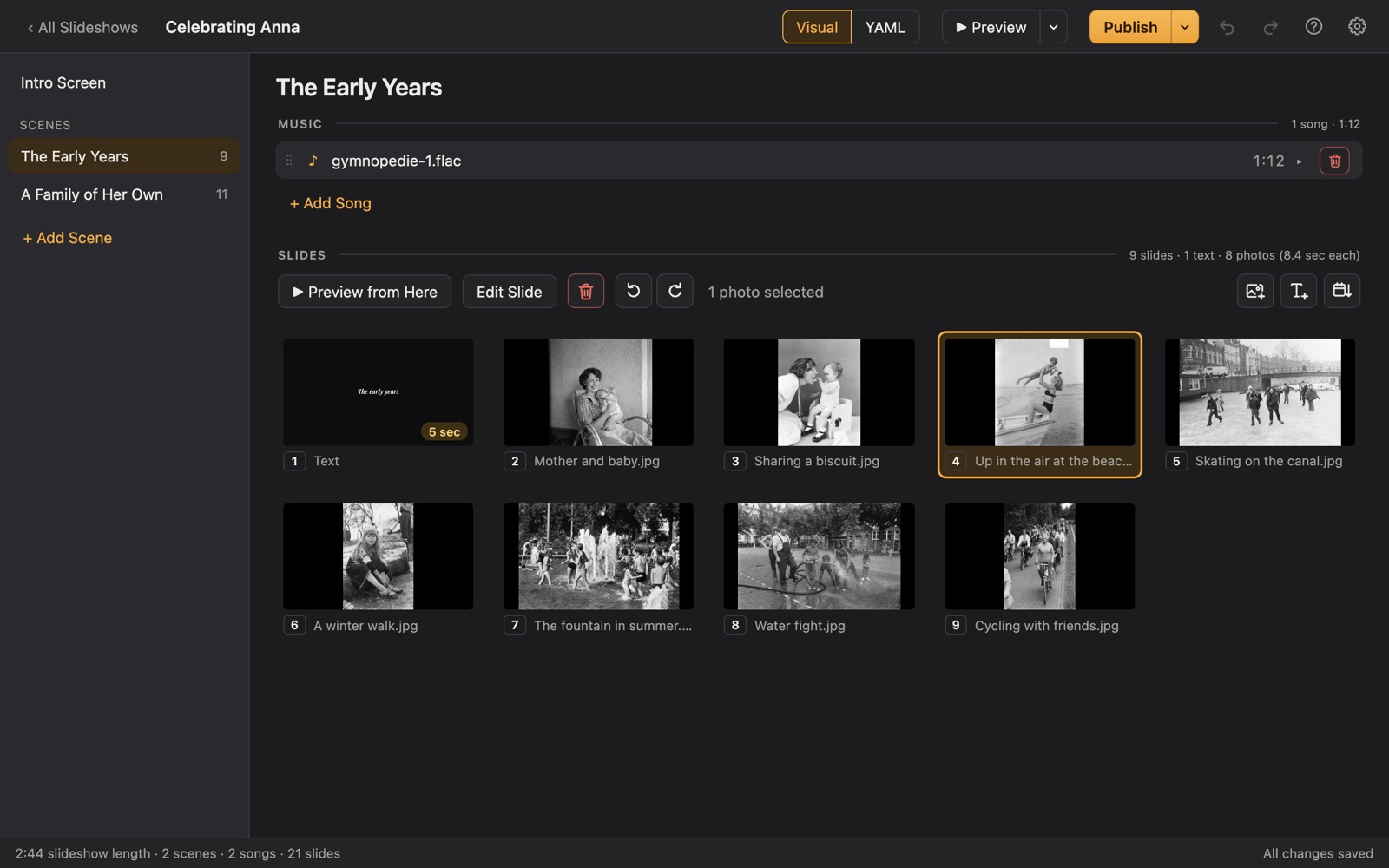
Making a birthday slideshow
Milestone birthdays (the 50th, the 70th, the 90th, the 100th) bring family together from far away, and a slideshow gives everyone something to gather around. It's the moment the guest of honor sees their whole life on screen, and the grandchildren see them young for the first time.
With Porchlight you just drag in the photos, sort them by date, and add music. Put each decade in a scene with its own song, add a few titles with dates, and it's done.
A plan
A decade-by-decade plan
Each scene gets its own music in Porchlight, so the songs change with the story.
Born in...
An opening title: "Happy 80th, Grandma!" with the year they were born.
Childhood
Baby photos, school pictures and the family they grew up in.
One scene per decade
Work, marriage, children, travel, hobbies. Give each decade a hit song from those years.
Today
Recent photos with the people at the party.
Birthday wishes
Text slides with messages from family and friends who couldn't come.
Tips
Tips
- Look up the number-one song on the day they were born and use it for the opening scene.
- Ask each relative for three favorite photos and a one-line memory.
- Add funny captions on text slides between photos; they get the biggest laughs.
- For a surprise, gather photos quietly from siblings and old friends.
- Export a video afterward and send it to everyone who was there.
How long should it be?
5 to 10 minutes: about 50 to 100 photos with 2 to 4 songs. Keep it shorter for a restaurant party.
Choosing music for a birthday slideshow
- A hit from the year they were born.
- Their favorite songs from each stage of life, one per scene.
- Something upbeat to finish, as the party begins.
Porchlight plays MP3, WAV and FLAC files you have; it doesn't provide music. You're responsible for having the right to use the music and photos in your slideshow, whether you're building, publishing, uploading, playing or sharing it.
How it works
Your birthday slideshow in three steps
Drag in the photos
From a folder or the Photos app. Sort them by the date they were taken with one click, or arrange them by hand.
Add the music
Give each scene its songs. Porchlight fits the photos to the music, so the last photo fades out as the last note ends.
Play it anywhere
Put it on a USB stick with the free Player, or save it as an HD or 4K video.
At the party
Publish it to a USB stick with the free Porchlight Player for any Mac or PC, or export a video for a smart TV. It waits on the opening title until you press Space.
Questions
Good to know
How many photos for a 50th birthday slideshow?
About 8 to 12 photos per minute of music. A 7-minute slideshow is roughly 60 to 80 photos: about 10 to 15 from each decade.
Can I add birthday messages from people who can't come?
Yes. Add them as text slides, or add their photo with their message on the slide after it.
Is Porchlight Slideshow free?
You can download it free and build and preview your whole slideshow. A one-time $39 license lets you publish it to a USB stick and export it as a video, with no subscription. Porchlight Player, for watching, is always free.
Are my photos uploaded anywhere?
No. Porchlight works entirely on your own computer, with no account and no internet needed.
Start your birthday slideshow tonight
Download Porchlight Slideshow free, build your slideshow and preview it full screen. Pay once, only when it's ready to share.
More occasions