Porchlight Slideshow › Parties & other occasions
Party slideshows
A slideshow for every kind of party
Whatever the occasion, a slideshow playing on the big screen gets people talking. Porchlight makes one in an evening, timed to the music.
Free to download and try · $39 once to share your slideshow · Mac & Windows
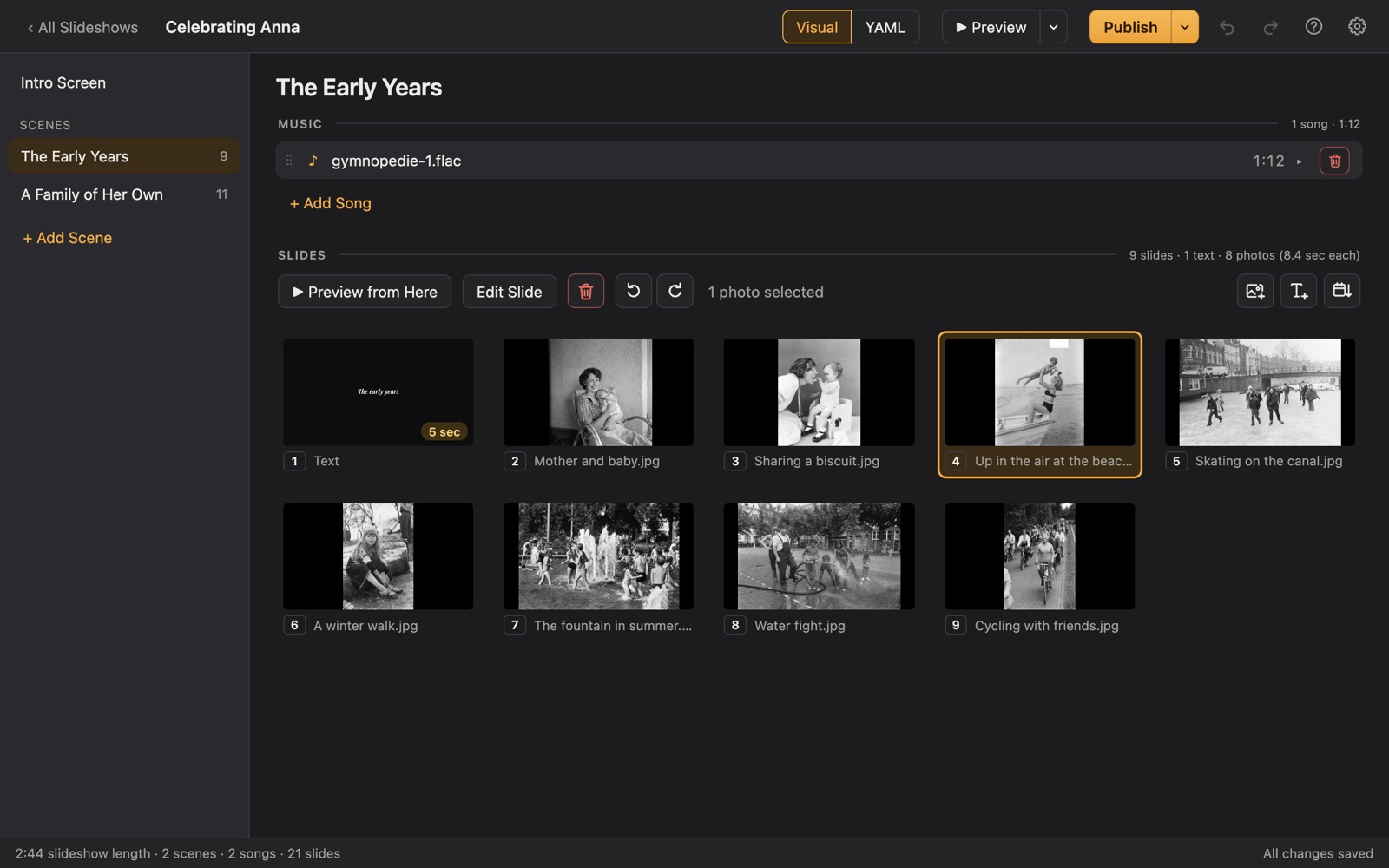
Making a party slideshow
Beyond the big milestones, there are countless gatherings where a slideshow makes the moment: an engagement party, a baby shower, a going-away party, a military homecoming or deployment send-off, an Eagle Scout court of honor, a church or club anniversary, a teacher's farewell.
Porchlight works the same way for all of them. Drag in the photos, add music, split the story into scenes if it helps, and play it full screen from a USB stick or as a video.
A plan
Ideas by occasion
Each scene gets its own music in Porchlight, so the songs change with the story.
Engagement party
The couple's story so far, from the first date to the proposal.
Baby shower
The parents-to-be as babies, the bump month by month, the nursery.
Going-away or farewell
Memories with friends or coworkers, and messages on text slides.
Military homecoming
Photos from home while they were away, and a welcome-home title.
Eagle Scout court of honor
From Cub Scout to Eagle: campouts, merit badges and the service project.
Club or church anniversary
Decades of members, events and buildings, one scene per decade.
Tips
Tips for any party
- Decide on a length first. For a party, 3 to 8 minutes usually holds the room.
- Ask guests to send a few photos ahead of time.
- Use text slides for names, dates and short messages.
- Test it where it'll play, or bring a video file as a backup.
How long should it be?
3 to 8 minutes: about 30 to 90 photos with 1 to 3 songs.
Picking the music
- Choose one song per scene and trim it to the part you want.
- Upbeat songs for parties; slower songs for tributes.
- For the guest of honor, their own favorites always win.
Porchlight plays MP3, WAV and FLAC files you have; it doesn't provide music. You're responsible for having the right to use the music and photos in your slideshow, whether you're building, publishing, uploading, playing or sharing it.
How it works
Your party slideshow in three steps
Drag in the photos
From a folder or the Photos app. Sort them by the date they were taken with one click, or arrange them by hand.
Add the music
Give each scene its songs. Porchlight fits the photos to the music, so the last photo fades out as the last note ends.
Play it anywhere
Put it on a USB stick with the free Player, or save it as an HD or 4K video.
Playing it
Publish to a USB stick with the free Porchlight Player for Mac and Windows, or export an HD or 4K video.
Questions
Good to know
Do guests need anything to watch it?
No. The Player is free and runs from the USB stick without installing, and the video plays anywhere.
Is Porchlight Slideshow free?
You can download it free and build and preview your whole slideshow. A one-time $39 license lets you publish it to a USB stick and export it as a video, with no subscription. Porchlight Player, for watching, is always free.
Are my photos uploaded anywhere?
No. Porchlight works entirely on your own computer, with no account and no internet needed.
Start your party slideshow tonight
Download Porchlight Slideshow free, build your slideshow and preview it full screen. Pay once, only when it's ready to share.
More occasions