Porchlight Slideshow › Graduations
Graduation slideshows
From the first day of school to cap and gown
Every grad party needs a slideshow playing on the TV. Porchlight turns eighteen years of photos into one, timed to the music, in an evening.
Free to download and try · $39 once to share your slideshow · Mac & Windows
Making a graduation slideshow
Graduation slideshows play at open-house grad parties, senior nights and banquets, often on a loop while guests come and go. Parents love making them; the graduate pretends to be embarrassed.
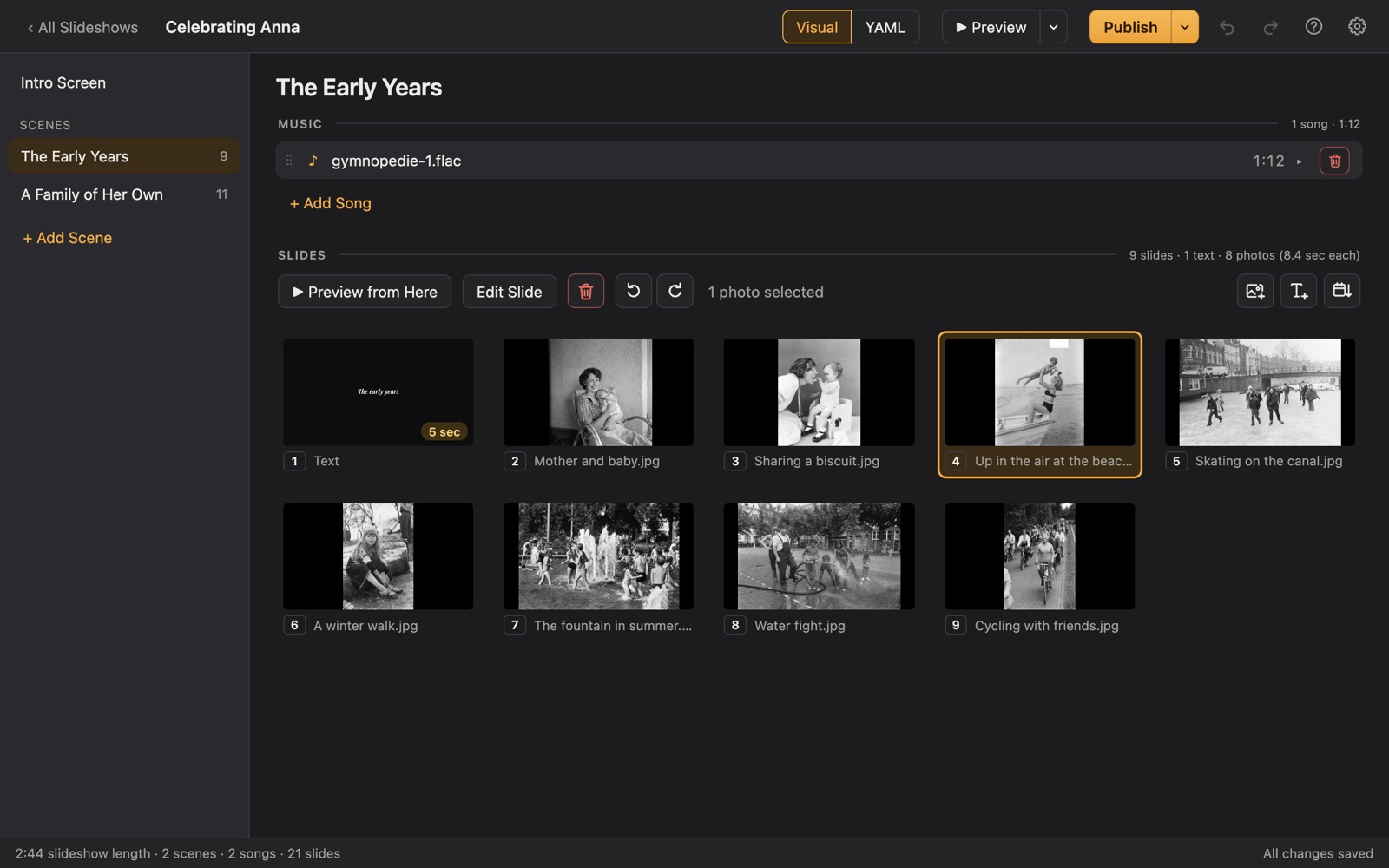
Porchlight sorts phone and camera photos by date, so school years fall into order. Put each stage in its own scene (early years, elementary, middle school, high school) with a song for each, and export a video for the TV.
A plan
Scenes for a graduation slideshow
Each scene gets its own music in Porchlight, so the songs change with the story.
The early years
Baby photos and the very first day of school.
Elementary school
Class photos, first-day pictures, sports and recitals.
Middle and high school
Friends, teams, music, prom, the driver's license.
Senior year
Senior photos, the last first day, cap and gown.
What's next
A closing title: the college, the job or the adventure ahead, and congratulations.
Tips
Tips
- Pair the first-day-of-kindergarten photo with the first day of senior year; it's always a crowd favorite.
- Ask friends to send a few photos from their phones for the high school section.
- Let the graduate veto photos. Really.
- For an open house, export a video and set the TV to repeat it, if it can.
How long should it be?
5 to 10 minutes: about 60 to 120 photos with 2 to 4 songs.
Choosing music for a graduation slideshow
- The graduate's own favorites: ask them, or check their playlist.
- A song from the year they started school, for the early photos.
- Something reflective for the last scene, looking ahead.
Porchlight plays MP3, WAV and FLAC files you have; it doesn't provide music. You're responsible for having the right to use the music and photos in your slideshow, whether you're building, publishing, uploading, playing or sharing it.
How it works
Your graduation slideshow in three steps
Drag in the photos
From a folder or the Photos app. Sort them by the date they were taken with one click, or arrange them by hand.
Add the music
Give each scene its songs. Porchlight fits the photos to the music, so the last photo fades out as the last note ends.
Play it anywhere
Put it on a USB stick with the free Player, or save it as an HD or 4K video.
At the grad party
Export an HD video to play on a smart TV, or put it on a USB stick with the free Porchlight Player for a laptop connected to the TV or projector.
Questions
Good to know
Can I make a senior night or team slideshow too?
Yes. See our sports banquet page for a plan that covers a whole team.
Can I post it on social media?
You can export a video and post it. You're responsible for having the right to use the music and photos you share; social networks may also mute or remove videos with copyrighted songs.
Is Porchlight Slideshow free?
You can download it free and build and preview your whole slideshow. A one-time $39 license lets you publish it to a USB stick and export it as a video, with no subscription. Porchlight Player, for watching, is always free.
Are my photos uploaded anywhere?
No. Porchlight works entirely on your own computer, with no account and no internet needed.
Start your graduation slideshow tonight
Download Porchlight Slideshow free, build your slideshow and preview it full screen. Pay once, only when it's ready to share.
More occasions