Porchlight Slideshow › Sports banquets & senior nights
Team & sports banquet slideshows
The whole season, for the team banquet
Every player, every game, every celebration. Porchlight turns the season's photos from coaches and parents into a slideshow for the end-of-season banquet or senior night.
Free to download and try · $39 once to share your slideshow · Mac & Windows
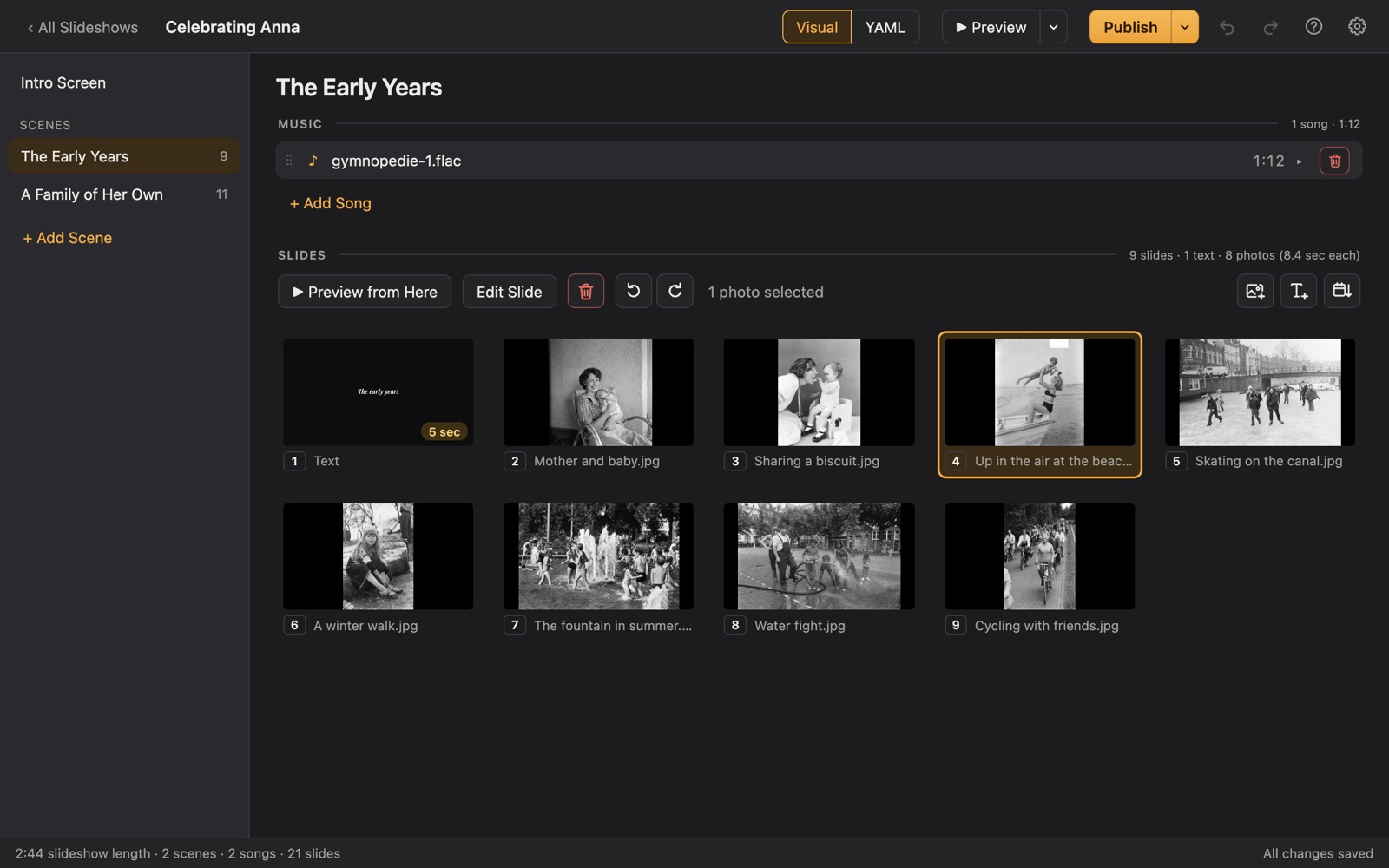
Making a team banquet slideshow
Team parents and coaches make end-of-season slideshows for banquets, senior nights and award dinners, usually from hundreds of phone photos taken from the sidelines. The challenge is making sure every player appears.
Porchlight sorts photos by the day they were taken, so the season falls into order by itself. Put the season in one scene and the seniors in another, add player names on text slides, and export a video or play it from a USB stick.
A plan
A plan for a team slideshow
Each scene gets its own music in Porchlight, so the songs change with the story.
Preseason
Tryouts, practices, team photo day.
The season
Game by game, sorted by date, with the scores on text slides if you like.
Every player
A photo or two of each player, with their name and number.
The seniors
A scene for the seniors: little-league photos next to this year's.
Thank you, coaches
The coaches, volunteers and parents who made it happen.
Tips
Tips
- Make a shared folder and ask every parent for their best photos by a set date.
- Keep a checklist of players so no one is left out.
- Seniors' parents usually have the childhood photos; ask them early.
- For a gym or cafeteria, a projector and a laptop with the Player work well.
How long should it be?
6 to 12 minutes: about 70 to 140 photos with 3 or 4 songs.
Choosing music for a team slideshow
- Songs the team played in the locker room or on the bus.
- Something high-energy for the highlights.
- A slower song for the seniors' scene, to close.
Porchlight plays MP3, WAV and FLAC files you have; it doesn't provide music. You're responsible for having the right to use the music and photos in your slideshow, whether you're building, publishing, uploading, playing or sharing it.
How it works
Your team banquet slideshow in three steps
Drag in the photos
From a folder or the Photos app. Sort them by the date they were taken with one click, or arrange them by hand.
Add the music
Give each scene its songs. Porchlight fits the photos to the music, so the last photo fades out as the last note ends.
Play it anywhere
Put it on a USB stick with the free Player, or save it as an HD or 4K video.
At the banquet
Publish to a USB stick with the free Porchlight Player for the school's Mac or PC, or export an HD video. It waits on the title until you press Space.
Questions
Good to know
Can I include action shots from a phone?
Yes. JPEG, PNG and WebP photos work everywhere, and on a Mac, iPhone (HEIC) photos are converted for you. Choose the sharpest ones; slideshow photos are shown big.
Is Porchlight Slideshow free?
You can download it free and build and preview your whole slideshow. A one-time $39 license lets you publish it to a USB stick and export it as a video, with no subscription. Porchlight Player, for watching, is always free.
Are my photos uploaded anywhere?
No. Porchlight works entirely on your own computer, with no account and no internet needed.
Start your team banquet slideshow tonight
Download Porchlight Slideshow free, build your slideshow and preview it full screen. Pay once, only when it's ready to share.
More occasions